Ah Va help centre
How can we help?
Step-by-step guides and short videos for everything in Ah Va, from connecting WhatsApp to seeing which ad brought each customer.
Video walkthroughs
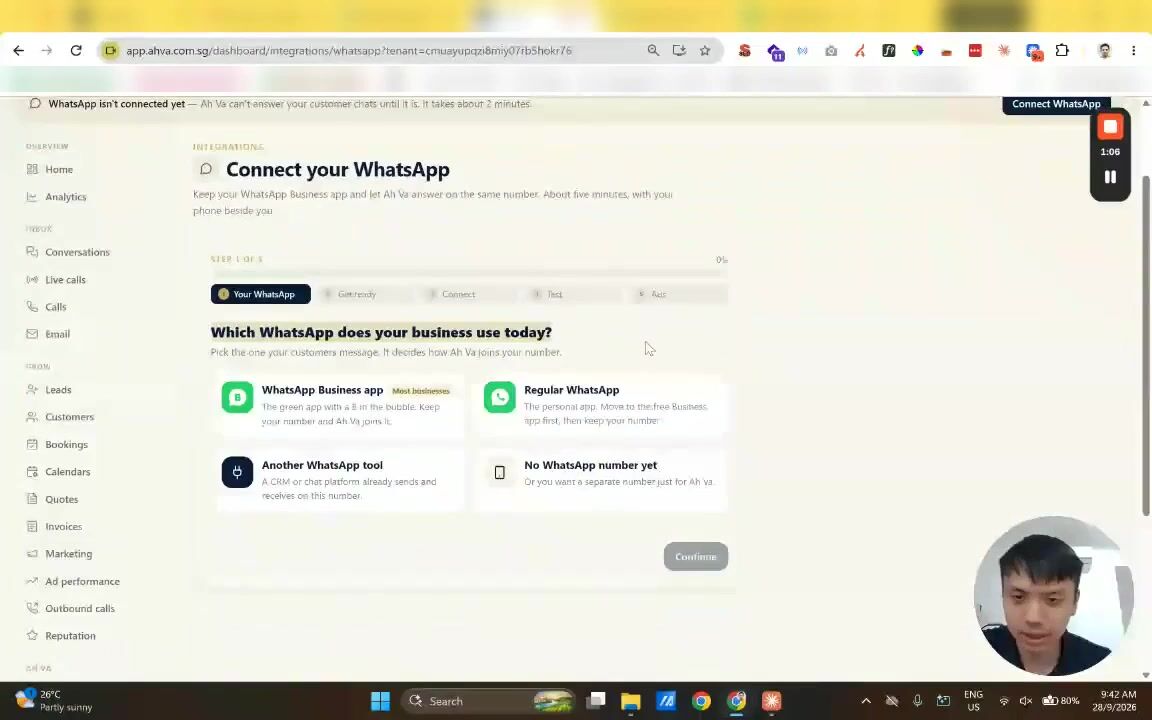 Video walkthrough · 7:43How to connect your WhatsApp Business app to Ah VaKeep using the app on your phone and let Ah Va work on the same number. Customers, ads and your website keep the number they already know. About five minutes, with your phone beside you.Watch and follow along
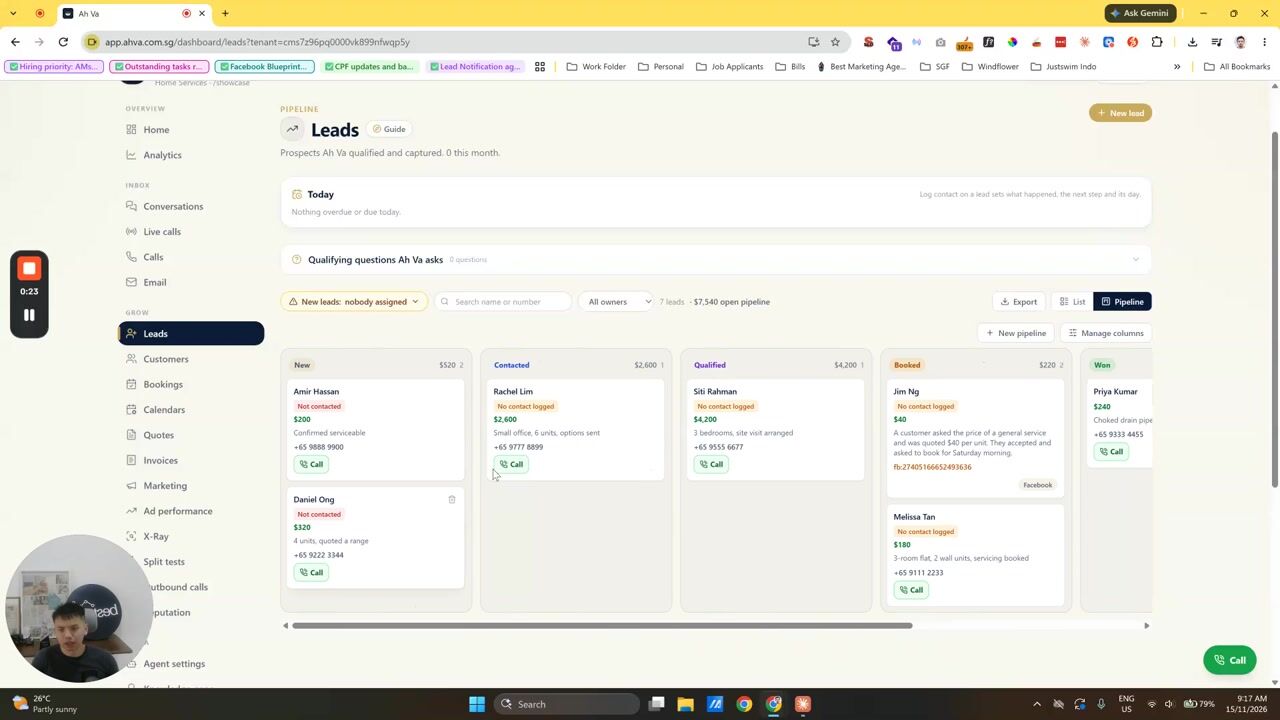 Video walkthrough · 1:27How to update your leads, from New to WonDrag each lead to the right stage as you work it, from New to Won, and add a note so everyone knows where it stands. With a 90-second video.Watch and follow along
Browse by topic
Most asked
What's new
All updates28 September 2026
Step-by-step guides for every part of Ah Va, searchable, with short videos where a picture helps.
28 September 2026
Disconnect a WhatsApp number, and keep or delete its chats
Every WhatsApp number now has Disconnect from Ah Va. The account owner can also erase every chat and contact that came in on it.
27 September 2026
Guided set-up for WhatsApp Business app numbers
A step-by-step companion walks you through Meta's window and your phone, then proves it works with a real message.
27 September 2026
Choose who Ah Va answers, per number
Every new chat, only people not in your saved contacts, or nobody yet while she tracks enquiries.
Still stuck?
Message the Ah Va team
Tell us what you were trying to do. A screenshot helps. Or email hello@ahva.com.sg.